Profiles Manager
The mod profile feature lets players create and switch between different mod sets for various playthroughs without reconfiguring each time.

Capabilities
A fast, profile-based mod manager built for Thunderstore games.
The mod profile feature lets players create and switch between different mod sets for various playthroughs without reconfiguring each time.
It is regularly updated and supported by modders and gamers. The tool evolves to match users’ needs and game updates.
R2ModMan mainly supports games like Risk of Rain 2, Ultrakill, and Valheim. It offers modding options for titles without native Steam Workshop support.
The simple design lets players install, manage, and remove mods easily. The clean interface connects directly to community mod repositories.
The manager helps maintain game integrity by checking mod compatibility and alerting users to outdated or conflicting mods.
Beyond mod management, the R2Modloader provides tools and integration for developers, including debugging options and support for mod development frameworks.
Its simple, clean interface makes modding easier. Everything is organized so users can quickly locate and use what they need.
Users can share mod profiles and config setups with friends directly from the manager.
It offers an auto-update system so players can enjoy updated gaming mods with advanced features.
Users can save mod settings and profiles online so they are always ready, no matter which PC they use.
The software works with many different games, from Risk of Rain 2 to Valheim and more. It keeps original game files untouched.
R2ModMan is completely open source, and its full source code is publicly available on GitHub for inspection and contribution.
This mod manager can be downloaded on Windows and Linux. The installation process is simple, and the tool helps users manage profiles, install mods, and keep their game files clean.
Preview
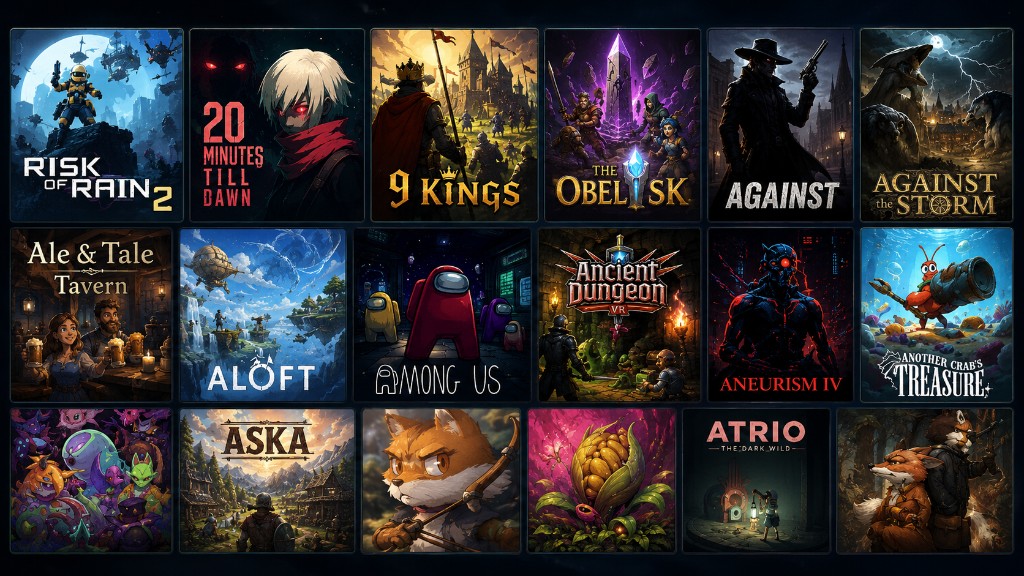
R2ModMan is a free mod manager that connects directly to Thunderstore so you can browse, download, enable, disable, and update mods from one clean interface. Instead of manually copying files into BepInEx folders, you select your game, create a profile, pick mods, and launch with a single click.
Each profile stores its own mod list and configuration. Switch between a lightweight vanilla-plus setup and a full overhaul pack in seconds. Export profiles as a shareable code or file so friends can match your exact mod stack for multiplayer sessions.
The manager keeps mod files isolated from your original game installation. Updates download in the background and install when you close the app. An integrated config editor lets you tune mod settings without hunting through folders.
Install popular QoL and content mods in minutes. No zip extraction, no guessing folder paths. Click Start modded and play through Steam as usual.
Build a profile, export it as a code, and send it to your squad. Everyone imports the same list so Valheim, RoR2, or Lethal Company sessions stay in sync.
Maintain separate hardcore and sandbox profiles, batch-update mods, edit configs in-app, and validate compatibility before launching long play sessions.
See why players choose a dedicated manager over manual installs or generic tools.
| Capability | R2ModMan | Manual install | Thunderstore Mod Manager |
|---|---|---|---|
| One-click mod install | Yes | No | Yes |
| Profile switching | Yes | No | Yes |
| Profile export codes | Yes | No | Limited |
| In-app config editor | Yes | No | Varies |
| Open source (MIT) | Yes | N/A | No |
| Ad-free experience | Yes | Yes | No |
What players say about modding with R2ModMan across popular titles.
"Switched all my Risk of Rain 2 runs to profiles. No more broken saves from dragging the wrong DLL."
RoR2 player"Export codes made our Valheim server night painless. Everyone had the same mods in ten minutes."
Valheim host"Config editor alone saves me from Notepad hunting. Clean UI and updates just work."
Mod enthusiast"Lethal Company modding was intimidating until R2ModMan. Download with dependencies is a lifesaver."
Co-op gamer"Linux AppImage works great. Proton tip in guides helped my Steam Deck setup."
Linux user"Open source means I can verify what runs on my PC. Trust matters for mod tools."
Security-conscious playerR2ModMan is developed by ebkr and maintained as an open-source project under the MIT License. Only download from verified official distribution channels listed on our download page. Third-party repack sites are not affiliated and may bundle unwanted software.
Antivirus tools sometimes flag mod managers because they modify game directories and download community packages. The application itself is not malware. Always verify checksums when provided and read our security page before installing.
Get the latest R2ModMan build for Windows or Linux and start your first profile today.
Go to download page